-
Written by:
Asad Abdullah Zafar

- Published
- 7 min read
- Development
Quick answer: To scope a mobile app to a fixed budget, write the number down first and set a fifth of it aside as a reserve. Then choose one user, one job and one platform approach, list only the screens that job needs, and price them. If the list costs more than what is left, cut features until it fits. Never cut the reserve to make room.
Most app budgets are built backwards. A founder writes a long feature list, asks for a quote, gets a number that is too high, and then tries to bargain the price down. I think that is the wrong fight. A good studio will not halve its price for the same work, and a bad one will agree and cut corners you cannot see.
My view is simple: the budget is a fixed limit, like a launch date, and the scope is what moves. It is the same idea I use in my guide to scoping a SaaS MVP, where the date is fixed and the features are cut to fit.
Step 1: Write the number down, then hold some back
Start with the most you can spend on this version without risking the business. Then take a fifth of it off the top as a reserve. This is my own rule of thumb, not a standard, and it pays for the things that always come up: a feature that was harder than it looked, a store rejection, or the first round of fixes once real users arrive.
What is left is your build budget. That is the only number your feature list has to fit.
Step 2: Take the fixed costs out
Some costs do not change with scope, so take them out before you plan any features:
- Apple Developer Program: 99 USD per membership year.
- Google Play: a US$25 one-time registration fee.
- Hosting for the backend for the first year, even if it is small.
- Your own time for testing, store listings, screenshots and privacy details. It is not free just because you do not invoice it.
Also plan the calendar. Google says new personal developer accounts must run a closed test with at least 12 testers for 14 days before publishing. Find those testers early. Two weeks of waiting at the end costs money if a team is on hold.
Step 3: Fill in the one-page template
This is the template I would use. Keep it to one page. If it does not fit on one page, the app is not focused enough yet.
| Line | What to write | Example |
|---|---|---|
| Total budget | The most you will spend on this version | A fixed number in one currency |
| Reserve | A fifth of the total, not to be spent on features | The total divided by five |
| Fixed costs | Store fees, first-year hosting | 99 USD Apple, US$25 Google, hosting |
| Build budget | Total, minus reserve, minus fixed costs | The only number features must fit |
| The one user | Specific enough to name ten of them | Dog walkers with five or more regular clients |
| The one job | What that user must finish in the app | Log a walk and send the owner a photo |
| Platform approach | One cross-platform app, or native and why | Flutter for iOS and Android |
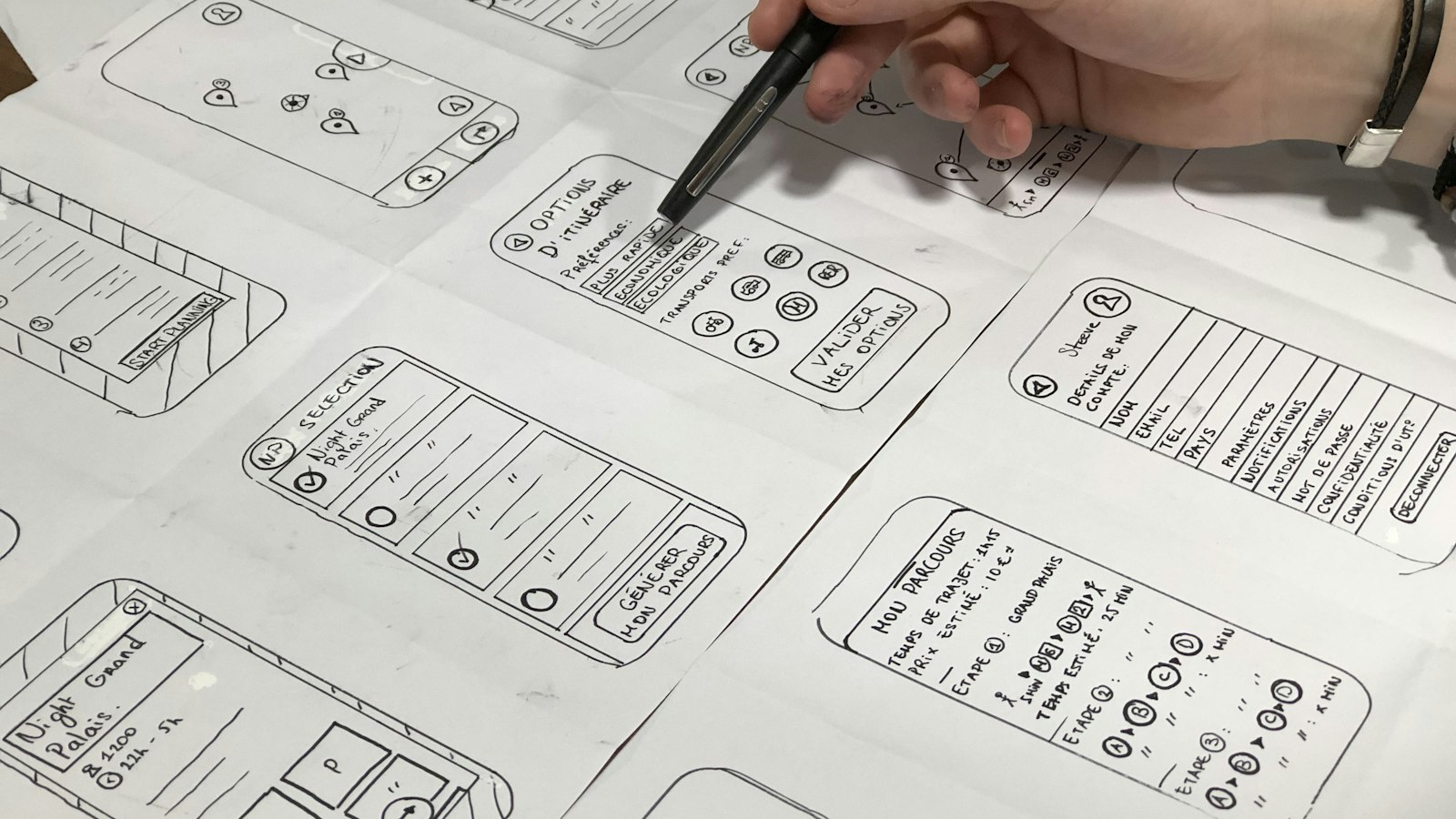
| Must-have screens | Only the screens the one job needs, in order | Sign in, client list, walk log, photo, send |
| Will not build | Everything else, written out in full | Payments, chat, maps, ratings |
| Success check | How you will know it worked | Users log walks a second week without being asked |
The dog-walking example is made up to show the level of detail, not a real project. Swap in your own.
Step 4: Price the list and cut until it fits
Ask for a quote against this page, not against a list of ideas. If the quote is over your build budget, do not move money from the reserve. Cut instead, starting with the features that are expensive for their size:
- Payments inside the app. Invoice your first users by hand. Digital sales inside the app also carry a store commission, 15% on Apple for small developers.
- Live maps and tracking. Show an address or a status instead.
- Offline sync. Require a connection in version one, unless your users really work without signal.
- Chat. Link to email or WhatsApp.
- A second native app. One cross-platform app covers both stores for most first versions. My native vs cross-platform guide explains when that is not true.
One thing not to cut too far: the app still has to be an app. Apple's App Review Guidelines say an app should offer more than a repackaged website. Cut features, not the core job.
How I would split the build budget
This is my own suggestion for a focused first version, and every project is different:
| Share of build budget | Goes on |
|---|---|
| About 10% | Scope, screen sketches and the data model |
| About 60% | Building the one job, app and API, from start to finish |
| About 20% | Testing on real phones, fixes, store listings and review |
| About 10% | The first round of changes after real users try it |
Notice that the reserve is not in this table. It sits outside the build, so it is still there when something goes wrong.
Where I could be wrong
- A fifth may be too little. If the idea is new to everyone, including the team building it, a bigger reserve is safer. A fifth suits a team that has built similar apps before.
- Fixed-price quotes have their own risks. A studio that quotes a fixed price adds a margin for risk. Paying for time instead can cost less if the scope is clear, and more if it is not.
- Some products need the expensive parts. If your product is payments or live tracking, you cannot cut it. Cut everything around it instead.
- You may not need an app yet. If your users mostly sit at a desk, a web app that works well on a phone can test the idea for less.
How Loop2Tech helps
Our paid discovery, US$300, is this template filled in with you: a written scope, a data model and a fixed quote, with the fee credited to the build. A focused app for iOS and Android starts from US$2,400, and a full product from US$5,500. Read what a mobile app really costs in its first year, see mobile app development and our pricing, or send us your budget and your idea. We will tell you honestly what fits.
Frequently asked questions
How do I make a budget for an app?
Write down the most you can spend, set a fifth aside as a reserve, and take out fixed costs such as store fees and hosting. What is left is your build budget. Then scope one user and one job, price that, and cut features until it fits.
What should an app scope document include?
The budget, the one user, the one job they must finish, the platform approach, the must-have screens in order, a written list of what you will not build, and how you will know it worked. Keep it to one page.
How much should I keep in reserve for an app project?
My rule of thumb is a fifth of the total budget, kept outside the build. Teams building something new to them should keep more. Do not spend the reserve on extra features.
What features should I cut to lower app development cost?
Start with in-app payments, live maps and tracking, offline sync, chat and a second native app. Each is expensive for its size, and most first versions can launch without them. Keep the one core job intact.
Is a fixed-price quote better for a startup app?
It gives you certainty, and it works best when the scope is written down on one page. The studio adds a margin for risk, so a vague scope makes a fixed price more expensive. That is why the template comes first.